
Approval gates
Approval gates route high-impact project events to eligible reviewer groups. They add a decision boundary; they do not replace policy checks or authorize a different Terraform plan.
- Typical time
- 15–30 minutes
- You need
- Policy-management access, a project, and an active reviewer group
- Outcome
- A project gate with reviewable scope, reviewers, and audit history
Step 1: Confirm reviewer-group readiness
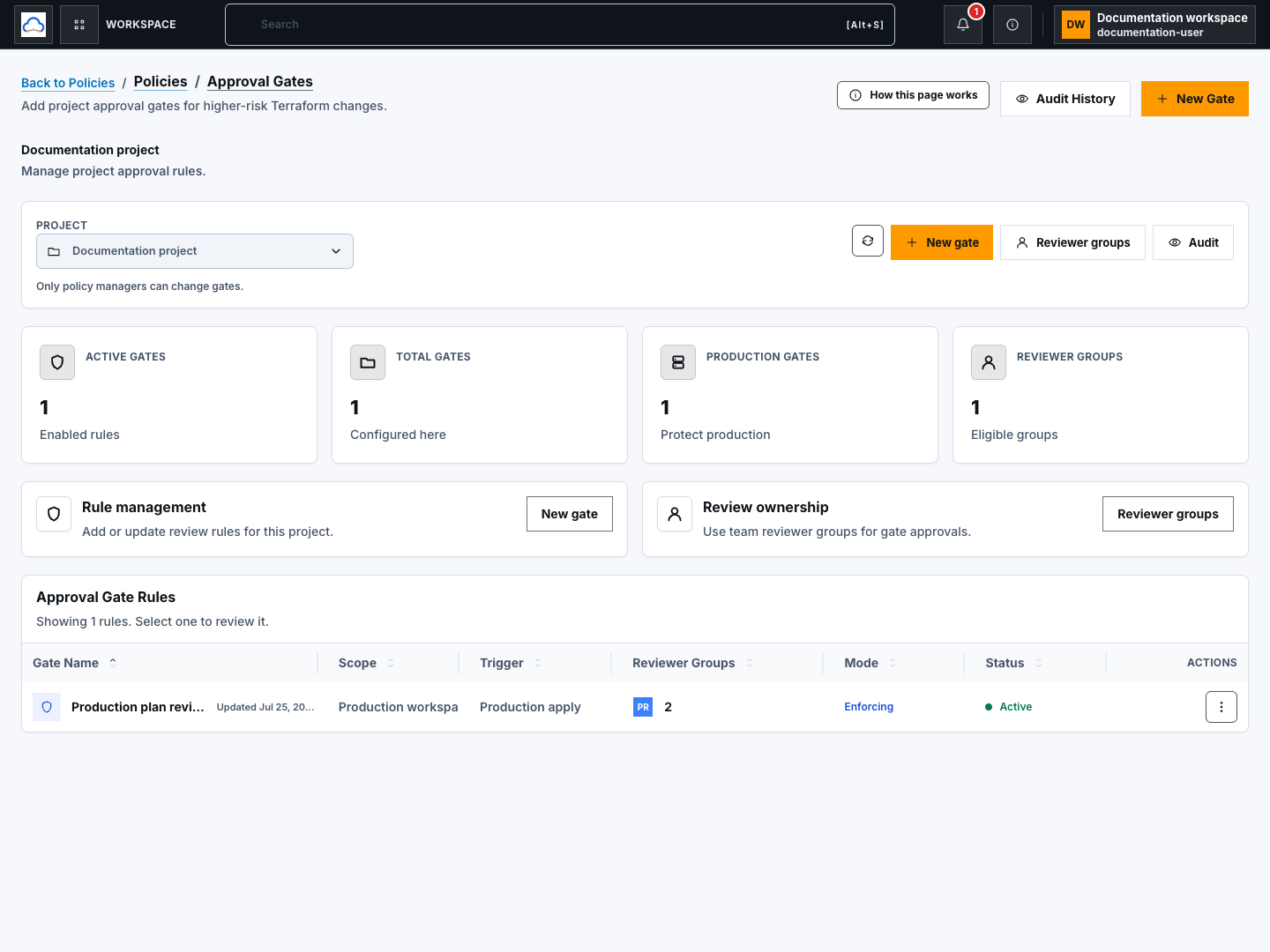
Section titled “Step 1: Confirm reviewer-group readiness”Open Governance → Approval Gates, select a project, and review the summary. If there are no eligible reviewer groups, select Reviewer groups and configure membership in Team & Access first.
The Minimum Approvals value cannot exceed the active eligible reviewers available through the selected Required Reviewer Groups.
Step 2: Create a gate
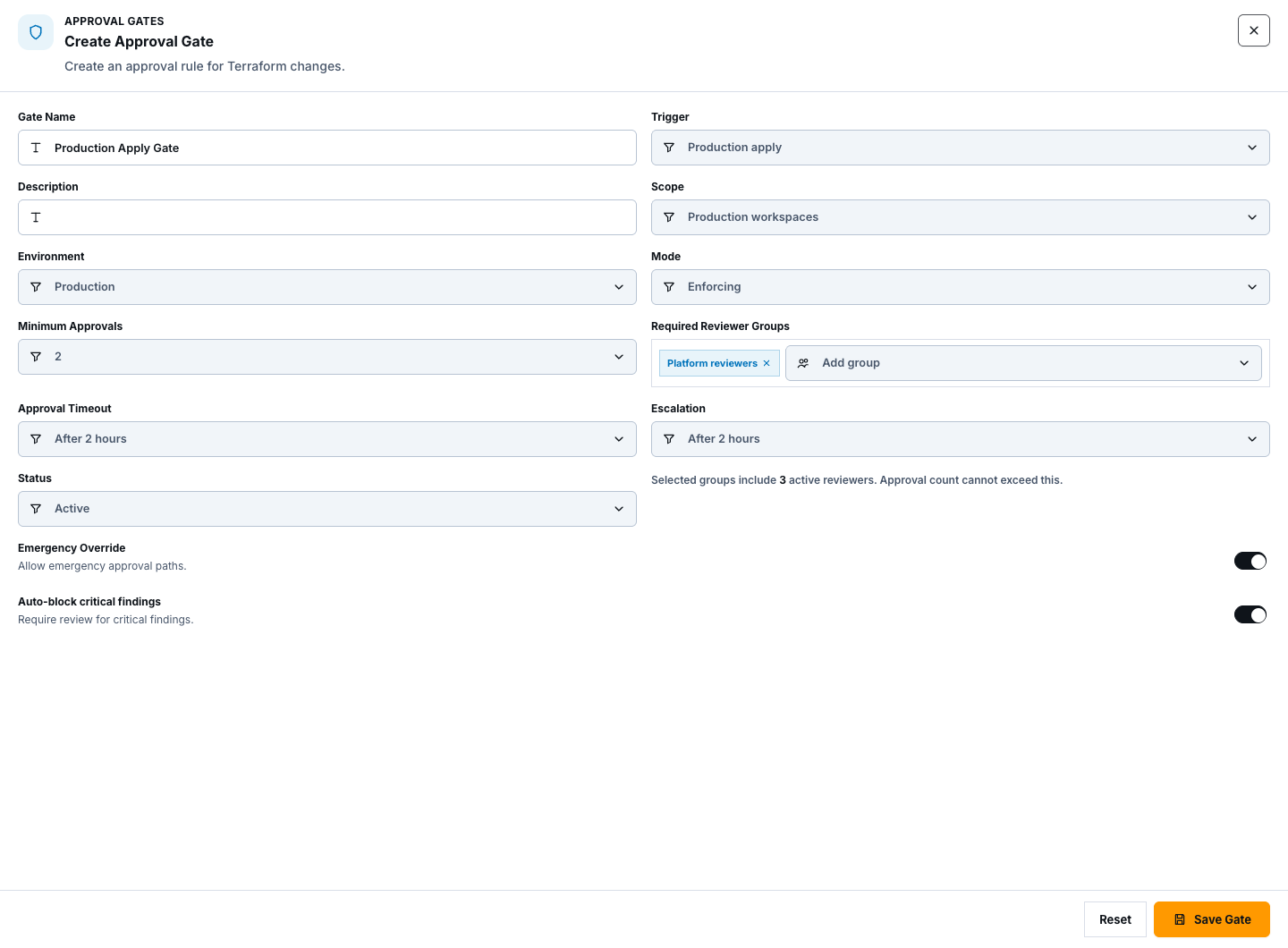
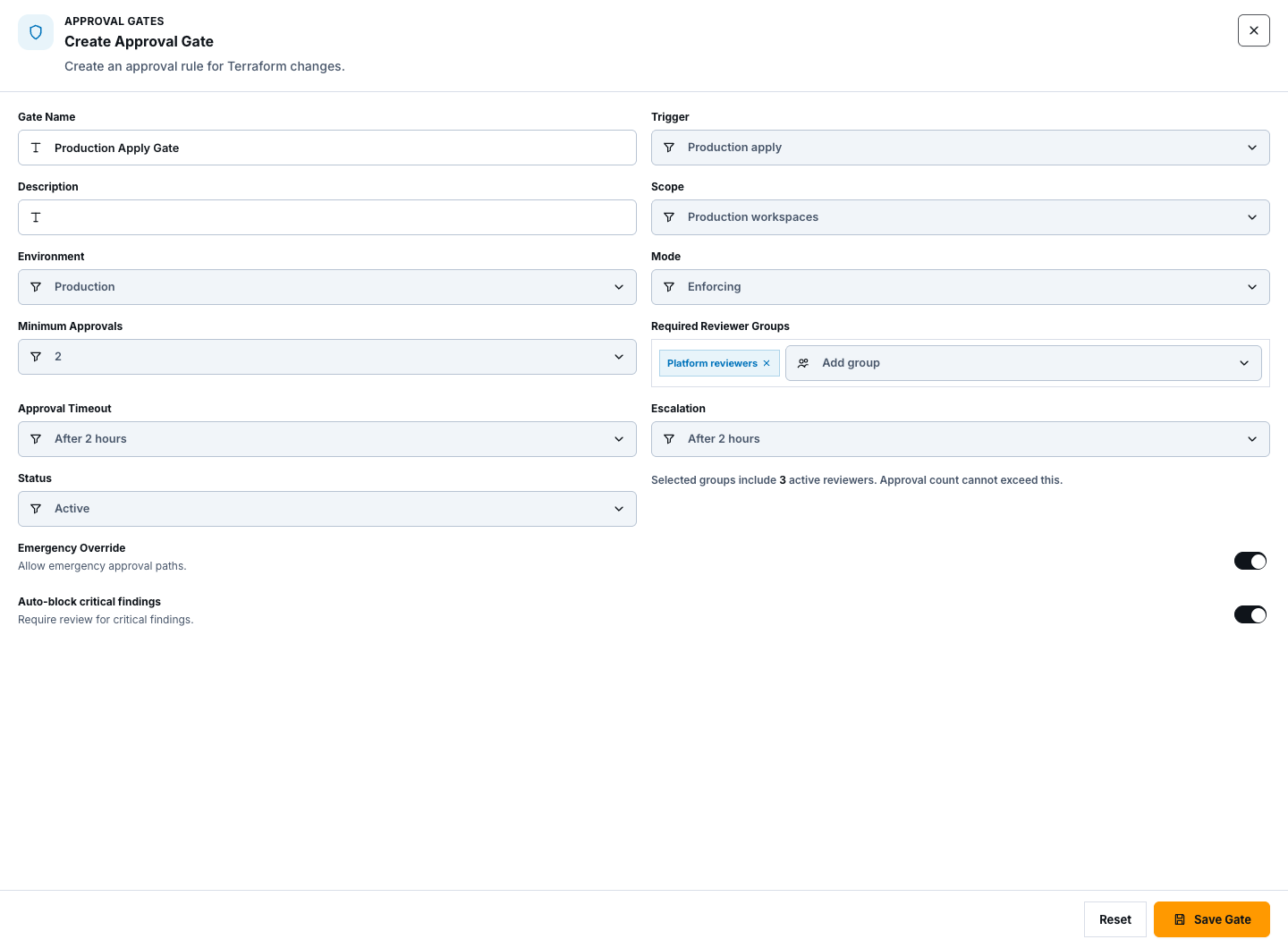
Section titled “Step 2: Create a gate”Select New gate and enter:
- a clear name, trigger, and description;
- project or workspace scope, environment, and gate mode;
- Minimum Approvals and Required Reviewer Groups;
- timeout and escalation behavior;
- status plus Emergency Override and Auto-block critical findings.
Review the impact, then create the gate. Emergency override should be enabled only for a separately governed incident process.
Step 3: View gate details
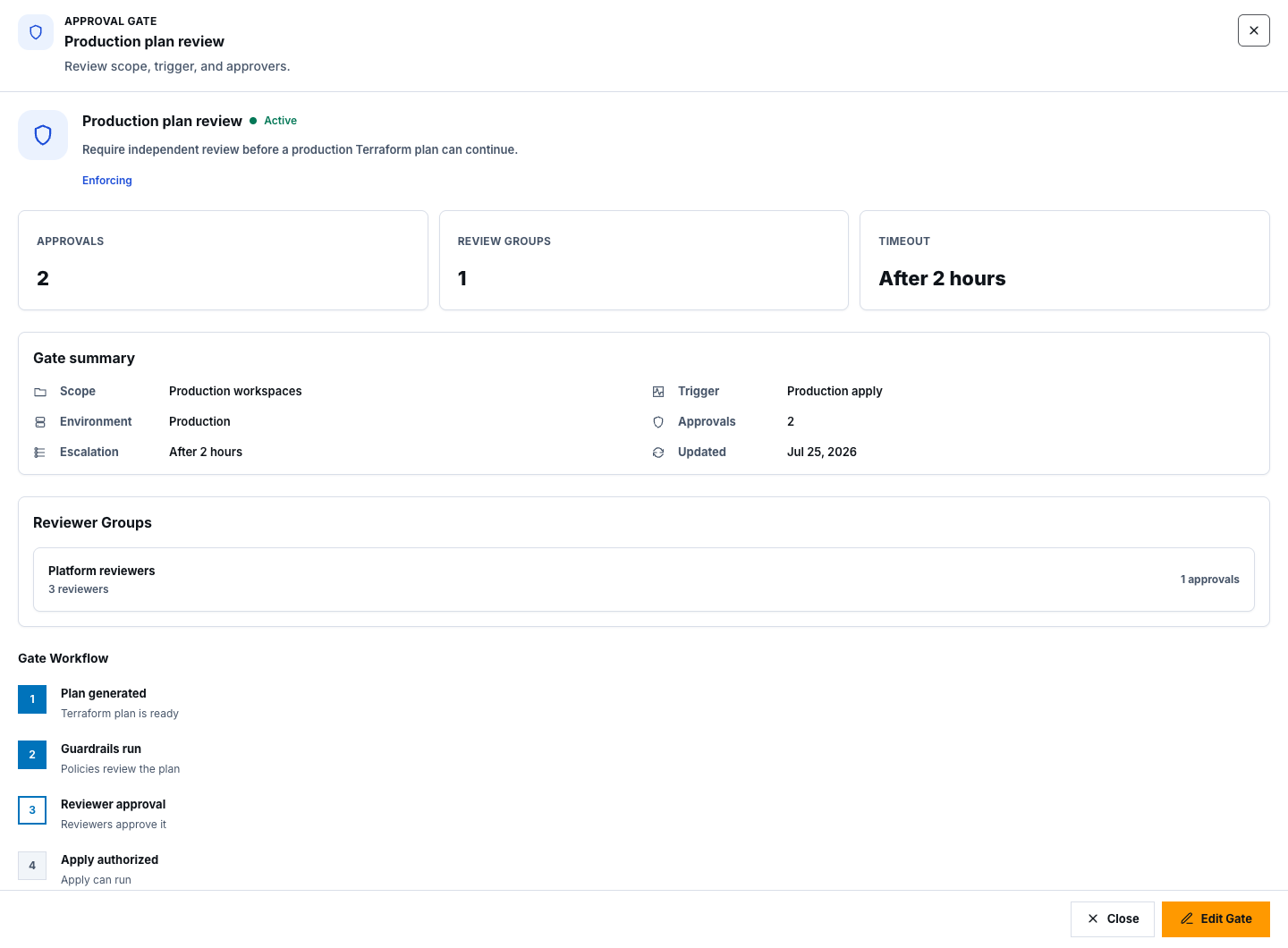
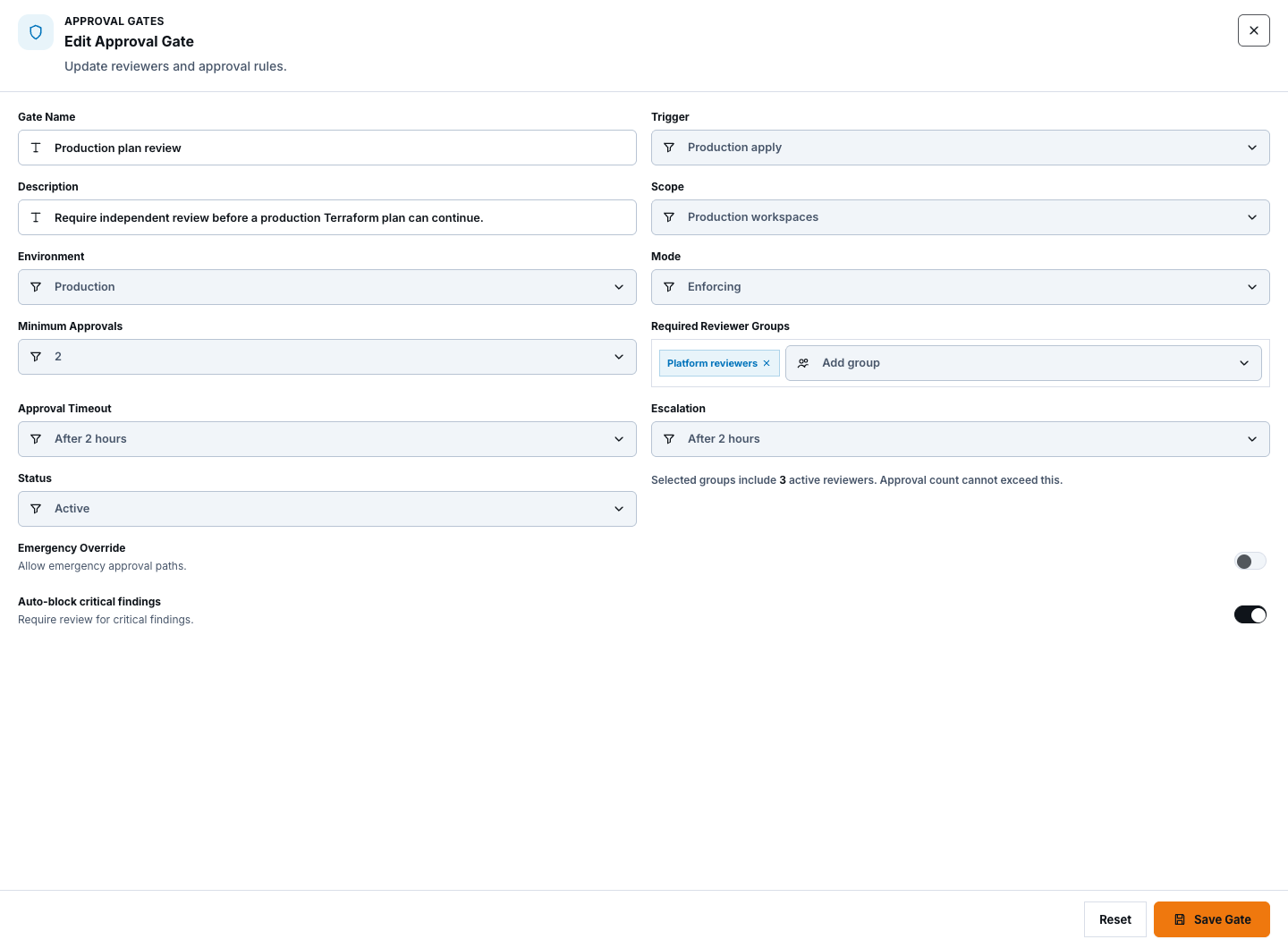
Section titled “Step 3: View gate details”Select a table row or its View details action. Verify scope, trigger, environment, minimum approvals, timeout, reviewer groups, workflow, and status. Use Refresh after another authorized user changes the project.
Step 4: Edit a gate
Section titled “Step 4: Edit a gate”From details select Edit Gate, or use the row action. Recheck every field, especially trigger, scope, environment, reviewer groups, and minimum approvals, then save. A changed gate applies to future matching workflows; it must not be treated as retroactive approval for an existing plan.
Step 5: Disable or delete a gate
Section titled “Step 5: Disable or delete a gate”Open the row menu:
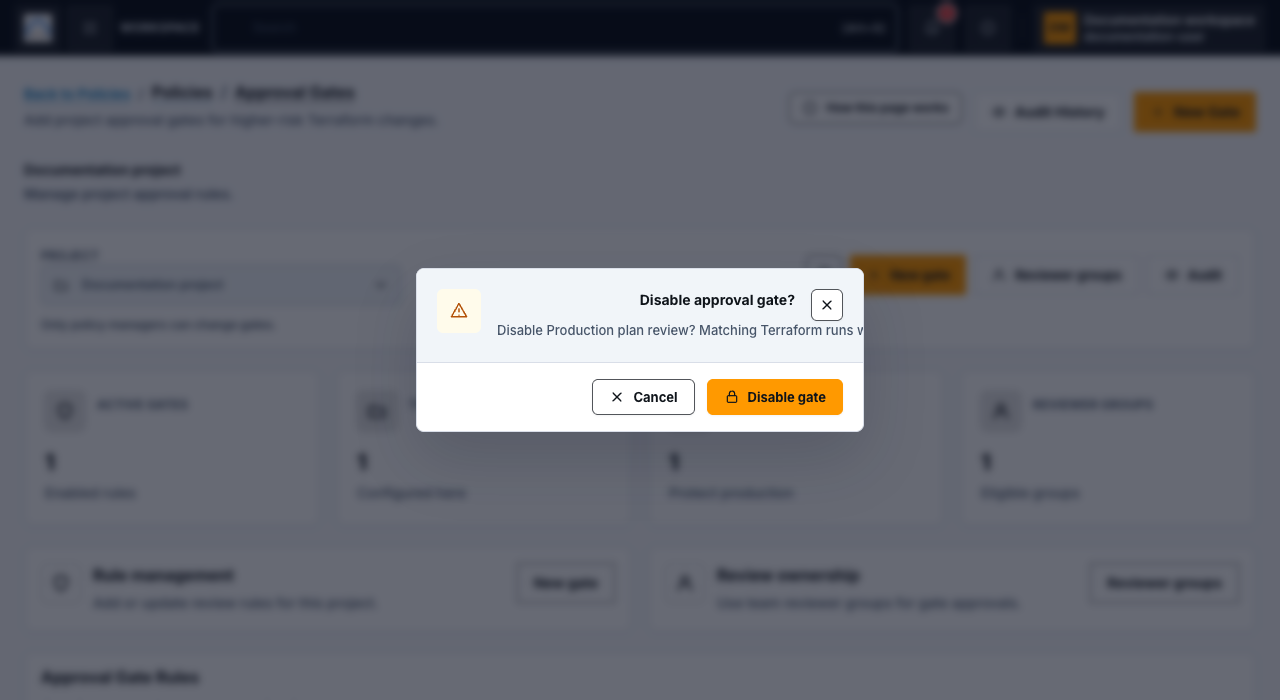
- select Disable gate to stop an active gate while retaining its record;
- select Delete gate to remove the gate configuration.
Read the confirmation and select the matching confirm action. Before either change, verify that no production apply or other protected workflow depends on the gate. Neither action erases audit history.
Step 6: Review gate audit history
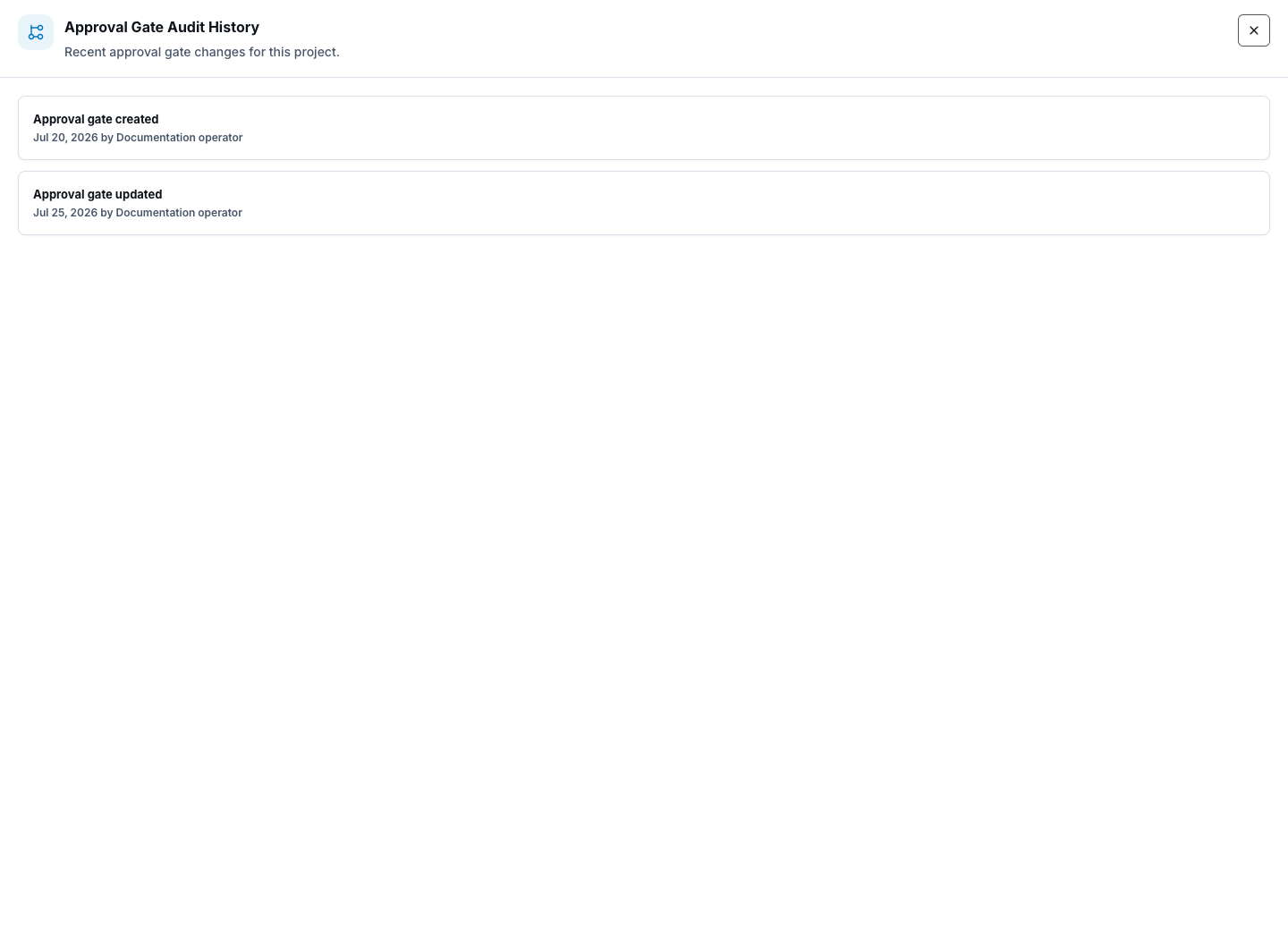
Section titled “Step 6: Review gate audit history”Select Audit on the page or Audit History in the header. Review recent project events for approval-gate creation, updates, disabling, and deletion. Use the main Audit Logs destination for broader filtering and verified evidence readback.
Check your result
Section titled “Check your result”The selected project shows the intended active or disabled gate, reviewer capacity meets the approval threshold, and Audit History records the material change.
Common blockers
Section titled “Common blockers”- New Gate unavailable: confirm policy-management permission and select a project.
- No reviewer groups: configure an eligible active group in Team & Access.
- Minimum approvals rejected: lower the threshold or add active eligible reviewers.
- Gate not triggered: confirm trigger, scope, environment, and workflow match the new event.
Source and deployment wiring alone are not proof that a live approval path blocked or released a runtime operation. Verify that behavior in an authorized environment.