
Terraform workflow
ScrinCloud treats Terraform delivery as a sequence of evidence-bound stages. Code, plan, policy, cost, approval, and apply do not collapse into one action.
- Typical time
- 20–60 minutes
- You need
- A project and saved workspace revision
- Outcome
- A governed run record
The delivery sequence
Section titled “The delivery sequence”| Stage | Product action | Evidence to review |
|---|---|---|
| Prepare | Generate, import, edit, and Save All | Saved workspace revision |
| Format | Format run | Formatting status and logs |
| Validate | Validate run | Terraform validation result |
| Plan | Plan run | Exact revision, provider, region, and change summary |
| Policy | Policy check or Run guardrails review | Findings, scanner status, gates, and exceptions |
| Cost | Saved plan cost estimate | Assumptions, trust, unknown impact, policy findings |
| Approval | Reviewer decisions | Evidence-bound approval count, gates, comments, expiry |
| Apply | Apply approved plan | Exact approved plan and revision |
| Verify | Run details and resource map | Status, outputs, reconciliation, and audit evidence |
Step 1: Prepare a saved revision
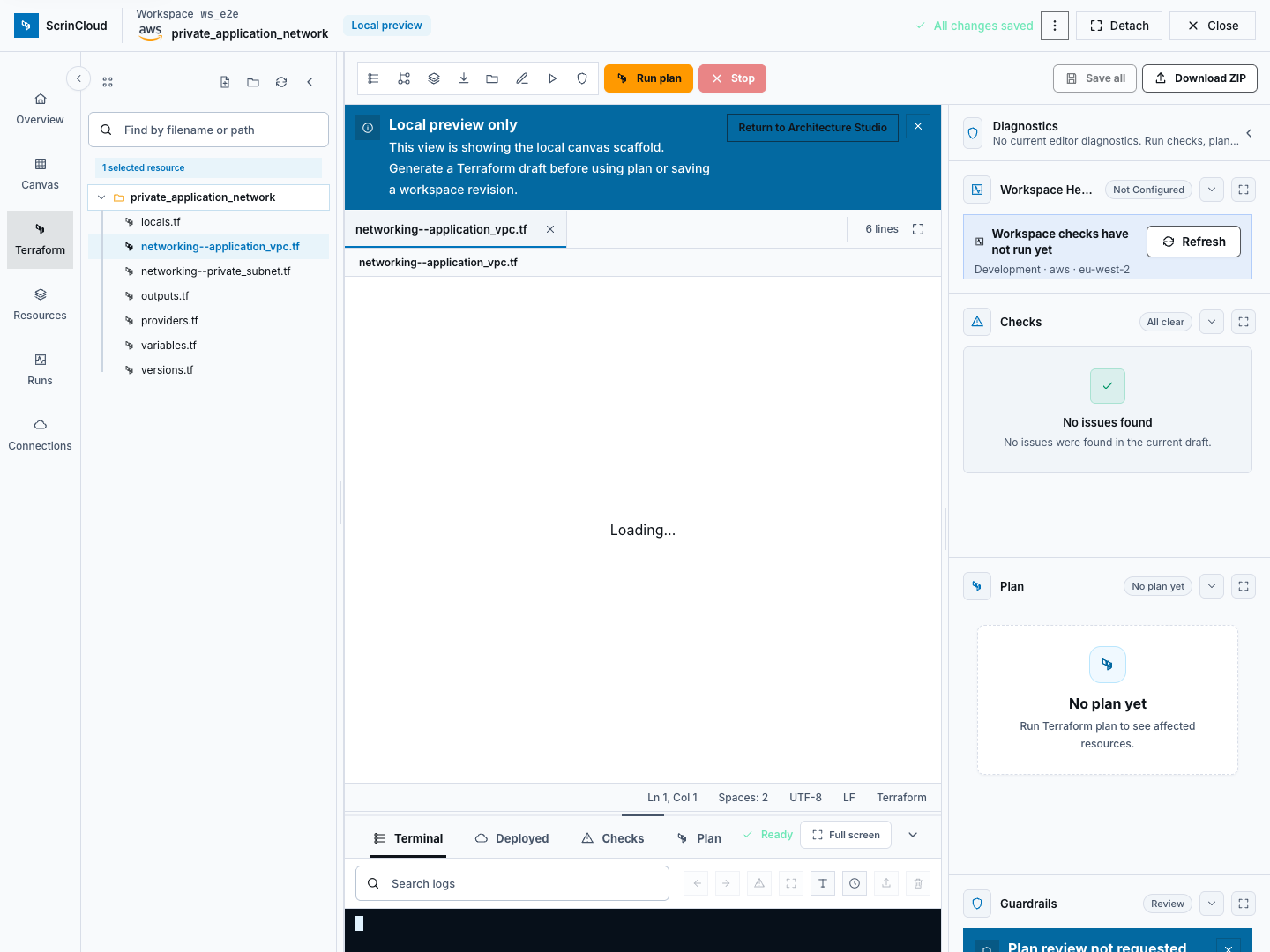
Section titled “Step 1: Prepare a saved revision”Open the Terraform editor for the intended project and workspace. Generate or import code, review every file, resolve editor diagnostics, then choose Save All. Terraform Runs can only start from a workspace with a saved latest revision.
Step 2: Create non-apply runs
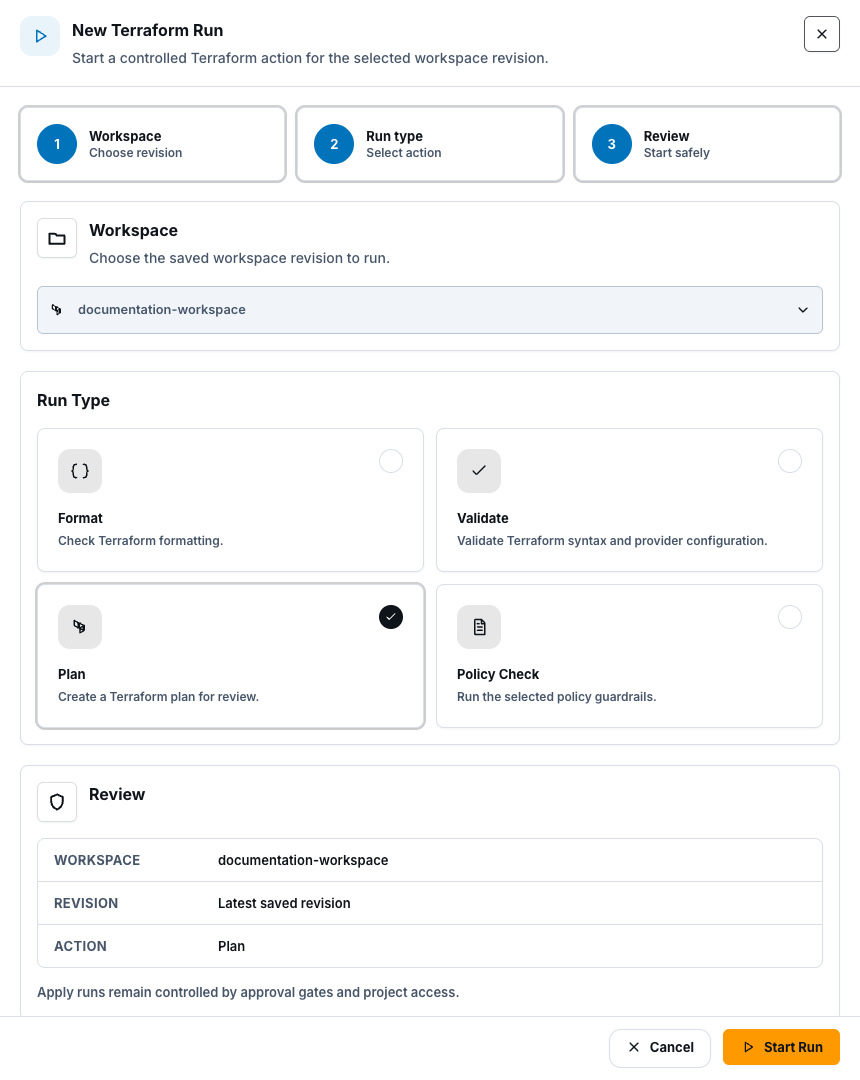
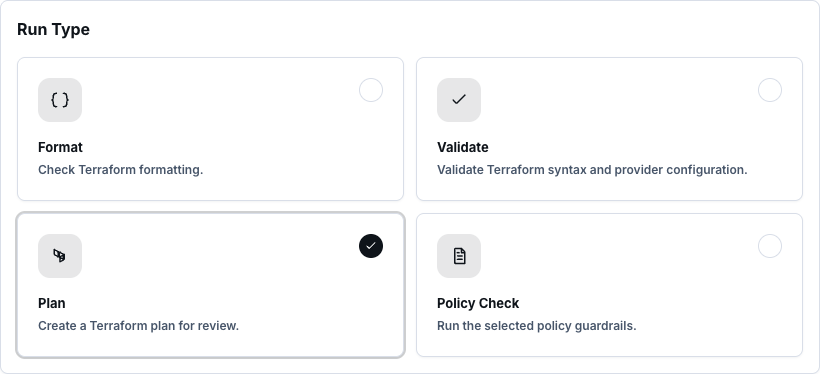
Section titled “Step 2: Create non-apply runs”Open Runs, select the project, and choose New run. The create drawer offers Format, Validate, Plan, and Policy check for the latest saved revision.
Run the smallest useful check first. A successful Plan is a proposal, not permission to apply.
Step 3: Review and approve the exact plan
Section titled “Step 3: Review and approve the exact plan”Open the successful plan in Run Library. Review:
- project, workspace, environment, actor, provider account, and region;
- creates, updates, replacements, and deletes;
- mapped and unmapped resources;
- policy scanner and OPA status;
- cost estimate, assumptions, trust, and unknown impact;
- approval gates, eligible reviewers, comments, and expiry; and
- the revision and plan evidence identity.
If code, policy, provider connection, cost evidence, or plan changes, run and review a new plan. Approval cannot be transferred to a different plan.
Step 4: Apply and verify
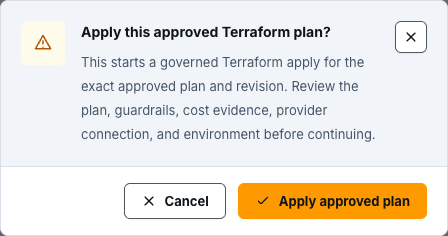
Section titled “Step 4: Apply and verify”Apply approved plan is available only from a successful plan with a current approved governance review. Confirm the high-impact action, then monitor the new apply run.
After completion, inspect status, timeline, resource map, logs, and safe artifacts. Do not treat a queued, running, failed, timed-out, or partially reconciled run as successful.
Safety rules
Section titled “Safety rules”- Never apply from an older or changed revision.
- Never interpret Format, Validate, or Policy check as a plan.
- Never interpret a successful plan as approval.
- Never bypass a blocking policy, cost rule, approval gate, or reviewer floor.
- Never copy raw Terraform state or sensitive plan content into tickets.
- Use break-glass only for an approved emergency workflow with independent review and required post-event evidence.
Check your result
Section titled “Check your result”The workflow is complete only when the intended apply run reaches a successful terminal state and its exact revision, plan, governance, cost, provider, and audit evidence can be reviewed.
Common blockers
Section titled “Common blockers”No workspace is available in New Terraform Run
Section titled “No workspace is available in New Terraform Run”Save a Terraform workspace revision first and confirm it belongs to the selected project.
Apply approved plan is disabled
Section titled “Apply approved plan is disabled”The plan must be successful and its governance review must be currently APPROVED. Resolve stale, expired, blocked, rejected, cost, exception, or reviewer-gate states.
The runner is queued
Section titled “The runner is queued”Review queue status and estimated start information. Do not submit duplicates; run creation uses idempotency controls.
What is proven by this documentation?
Section titled “What is proven by this documentation?”Source code, API routes, Terraform wiring, and deployment matrices define the workflow. They do not prove a particular environment executed a live plan or apply. Live proof requires an approved runtime run and retained evidence.